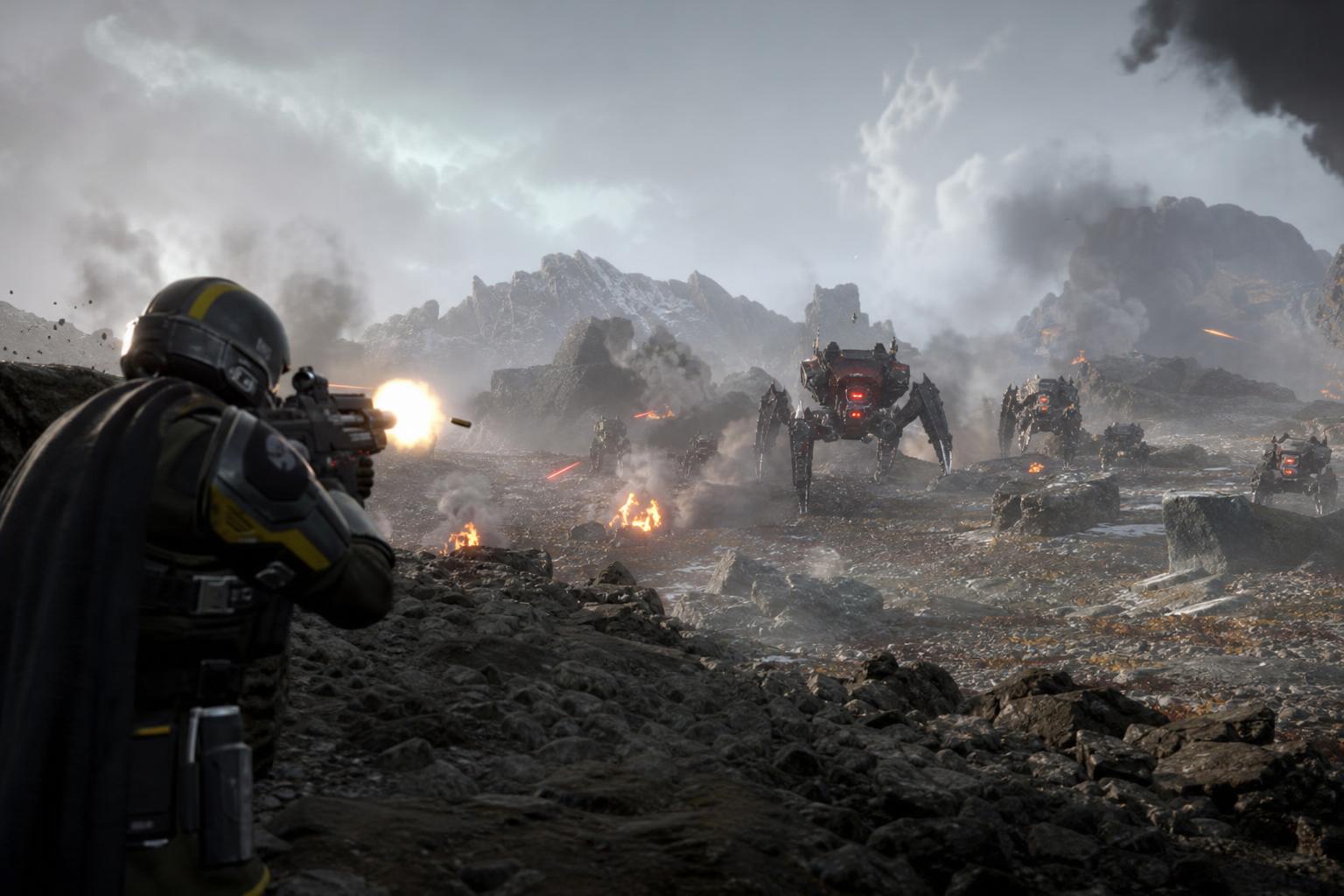
An Unreal Engine 5 upgrade can change how a game looks, how its worlds stream, and how its lighting behaves, but it does not automatically make a game better to play. Players often see announcements about a move to unreal 5 and assume everything improves overnight. This article breaks down what actually changes in visuals, lighting, world systems, performance, and gameplay, and what may stay exactly the same, so readers can judge any upgrade announcement on its real merits. For a look at where the engine is heading next, the Rocket League Unreal Engine 6 first look offers useful context.
What an Unreal Engine 5 Upgrade Means
When a developer says a game is moving to Unreal Engine 5, that phrase can mean several different things. At its most complete, it describes a full engine migration where the team rebuilds or re-imports assets, replaces the lighting pipeline, and adopts UE5 systems like Nanite, Lumen, and World Partition from the ground up. At its most minimal, a studio might open an existing project in UE5, fix compatibility issues, and ship without enabling any of the headline features. Both situations technically qualify as a UE5 upgrade.
Epic designed UE5 to be largely backward-compatible with UE4 projects, so teams can open older projects in the new engine and migrate most content with modest adjustments. However, achieving the full UE5 visual identity requires re-authoring lighting setups, retuning performance budgets, and sometimes reworking assets to take advantage of systems like virtualized geometry and real-time global illumination.
The distinction matters because marketing language rarely specifies how deep the conversion goes. A game that “runs on Unreal Engine 5” may or may not use Nanite geometry, Lumen lighting, or any of the other systems that define the new engine’s look and feel.
- A full migration rebuilds lighting, assets, and streaming from scratch using UE5 systems.
- A partial upgrade opens the project in UE5 but leaves most UE4 workflows in place.
- A marketing label may describe either of the above without clarifying which one applies.
Key takeaway: The engine version number alone does not tell players how much of a game was actually rebuilt. Patch notes and side-by-side footage are far more reliable indicators.
What Usually Changes After a Game Moves to Unreal Engine 5
When a studio does commit to a genuine UE5 overhaul, several player-facing areas tend to change in meaningful ways. Understanding what each system does in plain terms helps set realistic expectations.
Visuals and Lighting
The two biggest visual shifts come from Nanite and Lumen. Nanite is UE5’s virtualized geometry system, which lets developers use assets with millions of polygons while the engine automatically handles level of detail and streaming. In practice, environments like cities and rocky landscapes can carry far more geometric detail than was practical before, without requiring artists to hand-author simplified versions of every object.
Lumen is UE5’s real-time global illumination and reflection system. It replaces most baked lighting workflows, meaning light bounces off surfaces dynamically, time-of-day changes look natural, and reflections respond to the actual scene rather than a pre-rendered cubemap. Later versions of UE5 added more reflection bounces when hardware ray tracing is available, reducing the dark or empty-looking reflective surfaces that appeared in earlier builds.
Fortnite’s Chapter 4 update is the clearest real-world example of this in action. The upgrade visibly improved lighting, materials, and environment detail. On PS5 and Xbox Series X/S, the game’s 60 fps performance modes used software Lumen at High quality settings alongside Nanite and Temporal Super Resolution, while the 30 fps quality modes enabled hardware-accelerated Lumen at Epic settings for even richer results.
World Detail and Streaming
UE5’s World Partition system replaces UE4’s traditional level streaming approach by automatically dividing maps into a grid and loading only the cells near the player. Alongside Nanite landscapes introduced in UE5.3, which allow very large terrain resolutions to benefit from GPU culling and automatic geometry streaming, this changes how open-world games manage memory and reduce pop-in. Procedural content generation tools expanded in UE5.3 further allow developers to populate large environments more efficiently.
Animation and Physics
UE5 replaces the legacy PhysX engine with Epic’s own Chaos physics system. The switch affects destruction, ragdolls, and vehicle dynamics. Many basic physics behaviors feel similar to what players experienced before, but Chaos enables high-fidelity destruction simulations and large-scale physics interactions, changing how explosions, collapsing structures, and debris behave in upgraded games. On the animation side, UE5.3 introduced an experimental skeletal mesh editor for in-engine rigging and weight painting, and UE5.6 through 5.7 improved foot contact, proportional retargeting, and MetaHuman integration.
Image Quality and Frame Rate Targets
Temporal Super Resolution, or TSR, is UE5’s upscaling solution. It renders at a lower internal resolution and reconstructs a sharper final image, helping games hit 60 fps targets on consoles when combined with Nanite and Lumen at appropriate quality settings. TSR is a core reason why some UE5 games can deliver visuals that would otherwise require much higher raw rendering costs.
What May Not Change Even After the Upgrade
A UE5 upgrade is an engineering and rendering event, not a game design overhaul. The following areas typically remain unchanged unless the developer actively rebuilds them alongside the engine migration.
An engine upgrade changes how a game is rendered and streamed. It does not change how a game feels, what story it tells, or how smart its enemies are.
- Mission and level design stays the same unless the team redesigns maps as part of the migration.
- Combat mechanics and feel are defined by game logic and tuning, not the rendering engine.
- AI behavior depends on the game’s own systems, which the engine upgrade does not touch by default.
- Writing, narrative, and progression are content decisions entirely separate from the engine version.
- Audio is rarely part of a UE5 migration unless the team explicitly rebuilds its audio pipeline.
Some UE5 upgrades are best understood as technical foundations for future updates rather than transformational patches on their own. A studio might migrate an existing title to UE5 to unlock capabilities it plans to use in later updates, meaning day-one players of the upgrade patch may notice only modest differences compared to what the engine eventually enables.
Why Some Unreal Engine 5 Upgrades Improve Graphics but Hurt Performance
This is the most common concern players raise, and it has a straightforward explanation. UE5’s headline features, particularly Lumen, Virtual Shadow Maps, and Nanite at full fidelity, are genuinely more demanding than what most UE4 games used. A blank UE5 project is heavier than an equivalent UE4 project by default because UE5 enables Lumen, VSM, and TSR out of the box, and those defaults are not always fully tuned for every target platform.
Community reports have consistently noted that UE5 games can suffer from shader compilation stutter and heavy CPU usage when not carefully optimized. Epic’s own guidance from Unreal Fest talks stresses that taking advantage of UE5’s graphics features requires rethinking performance paradigms entirely, with a recommendation to profile Nanite visualization buffers and shadow passes first when diagnosing problems. For context on what well-optimized games look like regardless of engine, the best optimized PC games of 2026 shows how much studio effort matters independent of the tools used.
| Category | UE4 Default Approach | UE5 Default Approach |
|---|---|---|
| Lighting | Baked lightmaps, static GI | Lumen real-time GI and reflections |
| Geometry detail | Manual LODs, baked normals | Nanite virtualized geometry, auto LOD |
| Shadows | Cascaded shadow maps | Virtual Shadow Maps (production-ready from UE5.3) |
| Upscaling | TAA or no upscaling | Temporal Super Resolution (TSR) |
| Physics | PhysX | Chaos physics engine |
| Level streaming | Manual streaming volumes | World Partition automatic grid streaming |
That said, developers who tune their UE5 projects carefully can achieve frame rates comparable to their UE4 versions. Community tests and Epic’s own guidance suggest that with equivalent features enabled, UE4 and UE5 performance can land within about 10% of each other in some scenarios. The problem is that few studios ship with a stripped-back feature set, and the iterative minor versions matter too: moving from UE5.5 to UE5.7 brought an estimated overall 18% performance improvement in some benchmark comparisons, and UE5.7 introduced CPU optimizations that can yield up to around 50% CPU performance gains on PS5 in certain scenarios.
How to Tell Whether a UE5 Upgrade Is a Real Overhaul or Mostly Marketing
Players who want to evaluate a UE5 upgrade announcement before assuming it changes much should look for specific, verifiable signals rather than engine name-drops alone.
- Check official patch notes for explicit mentions of Nanite, Lumen, Virtual Shadow Maps, or World Partition being enabled, not just “powered by UE5.”
- Look for side-by-side footage comparing before and after. Genuine Lumen upgrades produce visibly different bounce lighting and reflections that are hard to fake.
- Confirm whether system requirements changed. A real rendering overhaul almost always raises minimum or recommended GPU and CPU specs.
- Check whether the developer mentions changed performance presets or new frame rate modes, as Fortnite’s Chapter 4 upgrade did with its distinct 60 fps and 30 fps quality options.
- Look for statements about rebuilt lighting or re-authored assets. Studios that did significant work usually say so because it is a selling point.
- Read developer blogs or interviews for mentions of World Partition adoption or physics engine changes, which indicate deeper system-level work.
Pro tip: If a game’s UE5 upgrade announcement contains no mention of changed system requirements and no comparison footage, treat it as a partial migration until proven otherwise. Engine-version badges in trailers are not a substitute for patch notes.
What the Upgrade Means for Different Types of Players
Not every player is affected equally by a UE5 migration, and the benefit depends heavily on the hardware someone is using and what they already valued in the game.
- Console players on PS5 or Xbox Series X/S are the most likely to notice genuine improvements, since these platforms support Nanite, Lumen, and TSR and are the primary target for most UE5 optimizations. Fortnite’s Chapter 4 update demonstrated that a 60 fps Lumen experience is achievable on current-gen hardware under the right settings.
- PC players on high-end hardware can access the full quality stack, including hardware ray tracing with multiple Lumen reflection bounces, but may also encounter the shader compilation stutter and CPU bottlenecks that have affected several UE5 titles at launch.
- PC players on older or mid-range hardware may see little benefit and could experience worse performance if a studio ships with heavy defaults and limited scalability options.
- Returning players who left before an upgrade patch may notice the most dramatic visual difference, particularly in lighting and environment density, since they are comparing against an older baseline.
- New buyers evaluating a game post-upgrade should still read performance reviews specific to their platform rather than assuming the new engine label guarantees a smooth experience.
The short version: current-gen console owners and high-end PC players benefit most from a thorough UE5 upgrade. Everyone else should check platform-specific performance data before assuming the upgrade is a net positive for their setup. Questions about how engine upgrades handle compatibility across platforms connect to broader topics around how hardware generations affect software support, similar to discussions around Switch 2 backwards compatibility.
Frequently Asked Questions
Does moving to UE5 automatically improve a game’s graphics?
Not automatically. A studio that migrates a project to UE5 without enabling Nanite, Lumen, or Virtual Shadow Maps will see little to no visual difference for players. Genuine graphical improvements require the developer to actively adopt UE5’s rendering systems, re-author lighting setups, and tune assets for the new pipeline. The engine version by itself changes nothing visible until those systems are switched on and properly optimized.
Is UE5 actually unoptimized, or is that a misconception?
It is partly both. UE5’s default settings enable Lumen, Virtual Shadow Maps, and TSR, which are more demanding than typical UE4 defaults, making a new UE5 project heavier until those settings are tuned. Community reports confirm that shader compilation stutter and high CPU usage are real problems in poorly optimized UE5 titles. However, Epic’s own benchmarks show that with equivalent features enabled, UE4 and UE5 can perform within about 10% of each other, and later versions like UE5.7 have added substantial CPU and GPU optimizations over the original release.
Can a UE5 upgrade make a game’s performance worse?
Yes, and it has happened in real titles. If a developer enables UE5’s heavier rendering features without fully tuning scalability options, players can experience lower frame rates, increased shader compilation hitching, and higher system requirements compared to the UE4 version of the same game. This is most likely to affect players on mid-range PC hardware or older consoles that are not the primary optimization target for the new engine build.
Does a UE5 upgrade change gameplay mechanics or story content?
No. A UE5 upgrade addresses the rendering engine, physics simulation, and world-streaming systems. It does not modify mission design, combat feel, AI logic, narrative content, or progression systems unless the developer explicitly rebuilds those alongside the engine migration. Many studios treat a UE5 migration as a technical foundation for future content updates rather than a gameplay overhaul in itself.
Why do developers bother upgrading to UE5 at all?
Developers upgrade because UE5 offers capabilities that older engine versions cannot match: dynamic global illumination through Lumen, film-quality geometry detail through Nanite, more stable and scalable shadows through Virtual Shadow Maps, and better large-world support through World Partition. Beyond visuals, later versions like UE5.5 and UE5.7 include significant CPU performance improvements and better animation tooling, making the engine a more capable foundation for both current and next-generation titles. Even minor version upgrades, such as moving from UE5.3 to UE5.4, have resolved stability issues and crashes in games already in production.
How can players verify that a UE5 upgrade actually matters for a specific game?
The most reliable approach is to check official patch notes for specific mentions of Nanite, Lumen, and Virtual Shadow Maps being activated, watch side-by-side comparison footage focusing on lighting and surface reflections, and confirm whether system requirements changed after the update. Performance-focused coverage that tests frame rates on specific hardware before and after the patch is the clearest signal. If none of that information exists at launch, the safest assumption is that the upgrade is a partial migration rather than a full rendering overhaul.
The Bottom Line on Unreal Engine 5 Upgrades
Understanding the unreal engine 5 upgrade explained properly means separating the engine’s real capabilities from the marketing shorthand that surrounds them. UE5 offers genuinely powerful tools in Nanite, Lumen, Virtual Shadow Maps, and World Partition, and when studios invest the work to use them fully, the results are visible and measurable. Fortnite’s Chapter 4 upgrade proved that a live service game can deliver dynamic global illumination at 60 fps on current-gen consoles when the implementation is done carefully. But the engine name alone guarantees nothing. Players should judge every UE5 upgrade by patch notes, performance data, and comparison footage, not by the version number in a trailer. As the industry moves toward what comes next in engine technology, the same critical approach will matter even more.